A deep guide for developers who want to actually understand the tools — not just the marketing.
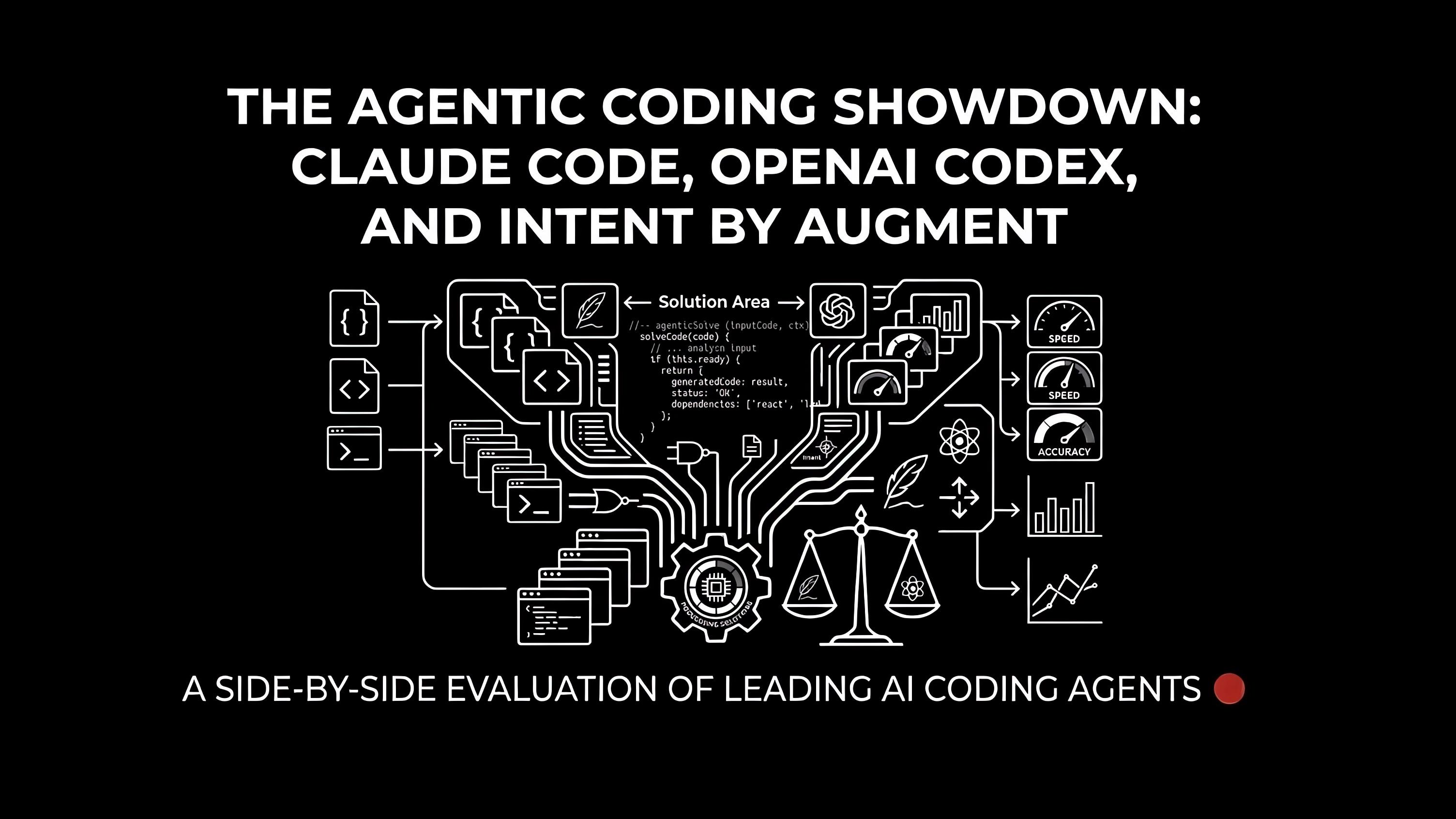
Three products. Three radically different philosophies. All promising to change how you write software.
Claude Code wants to be the Unix-native power tool your terminal was always missing. OpenAI Codex wants to be an asynchronous teammate you assign tasks to and forget about. Intent by Augment wants to be the control room where living specs keep a whole fleet of agents aligned.
This isn't a shallow feature list. We're going deep — skills, subagents, hooks, plugins, model flexibility, automation primitives, and the exact moments where each tool shines or falls apart. Let's go.
Quick Reference
Claude Code | OpenAI Codex | Intent by Augment | |
|---|---|---|---|
Surface | Terminal, IDE, Web, Desktop | Cloud, CLI, IDE, Web, Mobile | Desktop app (Mac-only, beta) |
Agent model | Single agent + parallel subagents | Cloud agents, parallel worktrees | Coordinator → Specialists → Verifier |
Skills system | ✅ Full (SKILL.md per skill) | ✅ Full (skills + automations) | ✅ Built-in specialist agents |
Hooks / automation | ✅ Pre/post-action shell hooks | ✅ Automations (background triggers) | ✅ Auto-commit, resumable sessions |
Plugin marketplace | ✅ | ✅ CLI extensions | ❌ Not yet |
Model flexibility | ✅ Claude + Ollama + any provider | ❌ GPT-5.x-Codex only | ✅ Claude, GPT, Codex, OpenCode |
Living spec | ❌ | ❌ | ✅ |
MCP support | ✅ | ✅ | ✅ (Context Engine MCP) |
Headless / CI mode | ✅ | ✅ Automations | ❌ |
Platform | macOS, Linux, Windows | macOS, Windows, Web, iOS | macOS only |
Pricing entry | Claude subscription | ChatGPT Plus ($20/mo) | Free (beta, Augment credits) |
Part 1: Claude Code — The Terminal Engine Room
Claude Code started as an internal Anthropic tool and it shows: it's opinionated, low-level, highly composable, and built for developers who want to keep their hands on the wheel while an AI does the heavy lifting.
It reached $1B annualised revenue within six months of general availability. That's not hype — that's developers actually using it for real work.
The Core Idea
Claude Code runs in your terminal, inside your project directory, with full access to your filesystem. It reads your entire codebase, edits files, runs tests, manages git, and executes shell commands — all through natural language.
The key mental model: it's not a chatbot that outputs code. It's an agent that operates your computer.
$ cd my-project
$ claude
# You're now in an agent session with full codebase context
From here, you can ask it to fix a bug, refactor a module, run tests, review a PR, analyze a log file, or open a GitHub issue. It does it.
Model Flexibility: Not Just Claude
Here's a differentiator most people miss: Claude Code supports third-party model providers. Out of the box, the Terminal CLI and VS Code extension support Ollama, which means you can run Claude Code workflows against local models:
# Use a local Ollama model instead of the Claude API
ANTHROPIC_BASE_URL=http://localhost:11434 \
ANTHROPIC_API_KEY=ollama \
claude --model llama3.2
This is significant for teams with data sovereignty requirements, air-gapped environments, or those who just want to experiment with open-source models without paying per token. No other tool in this comparison offers local model support at this level.
Claude Code works with Claude Fable 5 and Opus 4.8 (for the hardest reasoning), Sonnet 4.6 (for everyday speed), and Haiku 4.5 (for lightweight tasks). Enterprise users can route through Amazon Bedrock or Google Cloud Vertex AI for existing compliance setups.
Deep Dive: The Skills System
Skills are where Claude Code goes from a smart terminal assistant to a programmable automation platform.
A skill is a folder with a SKILL.md file — a Markdown document that tells Claude exactly how to approach a category of work. Think of it as a persistent, reusable prompt with supporting scripts, references, and templates. Skills can be installed globally (~/.claude/skills) or checked into your project under .claude/skills so the whole team gets them.
Anatomy of a skill:
my-skill/
├── SKILL.md          # Required: instructions + metadata
├── scripts/          # Optional: executable helpers
├── references/       # Optional: docs, specs, examples
└── assets/           # Optional: templates, resources
Invoking skills:
# Explicit invocation
$skill-security-review

# Or let Claude pick automatically based on your prompt
"Review this PR for security issues"
# → Claude auto-selects the security-review skill if it matches
Built-in system skills include $skill-creator (create new skills) and $skill-installer (install skills from marketplaces). The experimental $create-plan skill generates full implementation plans before writing a single line of code.
The LAXIMA Skills Marketplace
We built and open-sourced a skills marketplace for Claude Code: laxima-tech/laxima-skills
It follows the agentskills.io open standard and extends Claude Code with production-ready skills for real developer workflows.
Installation is two commands:
# Step 1: Register the LAXIMA marketplace
/plugin marketplace add laxima-tech/laxima-skills

# Step 2: Install the skills bundle
/plugin install laxima-skills@laxima-skills
Or browse and install interactively via /plugin → Browse and install plugins → laxima-skills.
Available skills:
Skill | What it does |
|---|---|
| Apply brand colors and typography to generated documents automatically |
| Write internal comms — 3P updates, newsletters, status reports — in your team's voice |
| Create or update new skills (meta-skill for building your marketplace) |
| Test local web apps with Playwright: screenshots, automation, visual regression |
| Generate production-grade web UIs with correct HTML/CSS structure |
| Create visual art and posters via canvas with bundled fonts |
Each skill is licensed Apache 2.0, so fork them, customize them, or contribute your own via PR.
To update after we ship new skills:
/plugin marketplace updateDeep Dive: Subagents
Claude Code supports parallel subagent execution — a lead agent coordinates work and spawns specialist agents that each run in their own isolated context window.
Why this matters: each subagent only has context about its own task. The main agent doesn't get flooded with irrelevant implementation details. Tasks stay focused. Context windows don't blow up on complex projects.
Built-in subagents:
Explorer — Scans the codebase, finds relevant files, maps dependencies
Planner — Analyzes gathered information and creates a step-by-step implementation plan
General purpose executors — Carry out the tasks defined in the plan
Multi-agent in practice:
"Implement OAuth2 login"
→ Lead agent creates a plan
→ Spawns: Auth Agent (routes/auth.ts), Test Agent (auth.test.ts), Docs Agent (README update)
→ Each works in parallel in isolated context
→ Lead merges results
You can also define custom agents as Markdown files. The most effective custom agents aren't given personality prompts — they're given precise tool access and task scope.
Spawning agents from CSV for batch work:
spawn_agents_on_csv tasks.csv
# Fans out work across rows with built-in progress tracking
Deep Dive: Hooks
Hooks are shell commands that run automatically before or after Claude performs specific actions. They're Claude Code's equivalent of git hooks — but for AI agent actions.
Types of hooks:
# ~/.claude/settings.json or project settings

[hooks]
# Run before Claude edits any file
pre_edit = "npx prettier --check $FILE"

# Run after Claude writes a file
post_edit = "npx eslint --fix $FILE && npx tsc --noEmit"

# Run before any shell command
pre_command = "echo 'Claude is about to run: $CMD'"

# Run after tests
post_test = "open coverage/index.html"
What hooks unlock:
Hooks turn Claude Code into a quality-enforced workflow. Every file Claude touches automatically runs through your linter, formatter, and type checker. You never get back code that fails your CI gates, because the CI gates run locally on every write.
Example: auto-security-scan on every edit
post_edit = "semgrep --config=auto $FILE 2>&1 | claude -p 'Summarize any security issues found'"This is the kind of thing that would have taken an hour to wire up with traditional CI tooling. It's now one line in your settings file.
Deep Dive: Plugins
Claude Code has a plugin system beyond skills — plugins can expose new slash commands, tools, and integration points directly into the Claude Code runtime.
Installing plugins:
/plugin marketplace add owner/repo
/plugin install plugin-name@repo-name
/plugin list                          # See installed plugins
/plugin update                        # Pull latest versions
What plugins can add:
Custom slash commands with full parameter support
New agent capabilities (tools, APIs, services)
Shared team configurations checked into version control
Organization-wide policy enforcement
Claude Code ships with built-in plugins for Git integration, GitHub/GitLab, and MCP server management. Third-party marketplaces (like ours) extend this further.
Automation: Headless Mode and CI/CD
The -p flag puts Claude Code in headless (non-interactive) mode. Combine it with shell scripting and you have a full automation system:
# Auto-triage new GitHub issues
gh issue list --json title,body | claude -p "
  Categorize each issue as bug/feature/question,
  add appropriate labels,
  and assign to the right team member based on OWNERS.md
"

# Auto-translate i18n strings on PR
git diff main --name-only | grep 'en.json' | claude -p "
  Translate new keys into French, German, and Spanish.
  Open a PR for each language.
"

# Monitor logs and page on anomaly
tail -f app.log | claude -p "
  Alert via Slack if you see database timeout errors or
  5xx rates above 1%. Use the #alerts-prod channel.
"
This is Claude Code's unique advantage: it's a Unix citizen. Pipe things in, pipe things out, run it in cron, trigger it from webhooks, embed it in your Makefile.
CLAUDE.md: Persistent Project Memory
CLAUDE.md is your project's persistent instruction file for Claude Code. Drop it in your project root and Claude reads it at the start of every session — no re-explaining conventions, architecture decisions, or team standards.
# CLAUDE.md

## Project: Payments API

### Conventions
- All currency values are stored in cents (integer), never floats
- Use `Result<T, AppError>` pattern for all service functions
- Never commit secrets — use `.env.local`

### Testing
- Run tests: `npm test`
- Integration tests require Docker: `npm run test:integration`
- Coverage threshold: 80%

### Architecture
- `/src/services` — business logic, no HTTP concerns
- `/src/routes` — thin controllers only
- `/src/db` — Drizzle ORM queries

### Don't do this
- Don't use `console.log` in production code — use the logger service
- Don't modify the migration files — create new ones
Claude Code reads this and treats it as gospel. Your agents behave consistently across sessions, across team members, and across machines.
MCP: Claude Code as an Integration Hub
Through Model Context Protocol (MCP) servers, Claude Code connects directly to your external systems:
# Add a GitHub MCP server
claude mcp add github-mcp-server

# Now Claude can query your repos directly
"Check all open PRs on laxima-tech/laxima-skills
 and write a weekly digest summary"
Once configured, Claude can pull Linear tickets, query Notion databases, fetch Figma design specs, check PagerDuty alerts, or ping your internal APIs — all without you copy-pasting anything between tools.
Prompt Engineering for Claude Code
Getting the most out of Claude Code is a skill in itself. For structured, reusable prompts that work across Claude Code sessions, the LAXIMA Prompt Library has 60 copy-paste-ready prompts across development, AI system prompts, operations, and more.
Particularly relevant for Claude Code workflows:
Comprehensive Repository Analysis & Bug Fixing — a structured system prompt for deep repo audits
AI System Prompts category — real system prompts from Augment Code Agent, Cursor IDE, Rovo Dev, and others that you can study and adapt
Development prompts for code review, SQL generation, and architectural analysis
The library is free, works with any AI tool, and prompts are tagged by category so you can find what you need fast. Worth bookmarking: laxima.tech/tools/library
Part 2: OpenAI Codex — The Async Task Machine
Codex is built around a fundamentally different workflow assumption: you shouldn't have to watch an agent work. Assign it a task, go do something else, come back to a completed pull request.
The Core Idea
Codex runs each task in an isolated cloud sandbox preloaded with your GitHub repository. Tasks complete in 1–30 minutes depending on complexity. You can monitor progress in real time or check back later. The model provides verifiable evidence — terminal logs, test outputs — for every step it took.
The latest model, GPT-5.3-Codex, holds state-of-the-art performance on SWE-Bench Pro (multi-language: Python, Go, JavaScript, TypeScript) and Terminal-Bench 2.0, and runs roughly 25% faster than the prior version. It has been observed working independently for over 7 hours on large refactors while maintaining context throughout.
2026 update: two features have matured that sharpen Codex's "assign and walk away" pitch. Goal mode is no longer experimental — available in the Codex app, IDE extension, and CLI, it lets you point Codex at a long-horizon objective spanning hours or even days without steering each step. And Codex Remote reached general availability: you can start or continue work on a connected Mac or Windows host straight from the ChatGPT mobile app, then review progress and approve actions from your phone. Combined with the desktop app's computer-use and in-app browser, Codex is increasingly aimed at operating a whole machine, not just editing files.
Skills in Codex
Codex skills are reusable agent capabilities you can invoke explicitly or let Codex auto-select:
# Explicit invocation
$skill-installer install create-plan

# Auto-selection
"Review this PR and summarize the security implications"
# → Codex picks the most appropriate skill automatically
Skill structure:
my-skill/
├── SKILL.md          # Instructions + metadata (same open standard)
├── scripts/          # Executable support code
├── references/       # Documentation
└── assets/           # Templates
Install skills per-user (~/.codex/skills) or per-project (.codex/skills in the repo, committed for the whole team).
Key built-in skills:
Code understanding and explanation
Prototyping
Documentation generation
Team-standard-aligned code review
Automations: Codex Working Unprompted
This is where Codex goes beyond task delegation — Automations let Codex work without you triggering anything:
Issue triage — new GitHub issue opens → Codex categorizes, labels, assigns
Alert monitoring — PagerDuty fires → Codex investigates logs, opens a draft fix
CI/CD — test failure detected → Codex attempts a fix and opens a PR
Code review — PR opens → Codex reviews for bugs and style issues before humans look
Automations are event-driven, not prompt-driven. This is the closest any of these tools gets to a genuinely autonomous background engineer.
AGENTS.md: Codex's Persistent Instructions
Same concept as CLAUDE.md — an AGENTS.md file in your repo tells Codex how to navigate your codebase, which commands to run for testing, and how to adhere to project standards.
# AGENTS.md

## Testing
Always run `make test` before committing.
Integration tests: `make test-integration` (requires running database)

## Style
Follow the patterns in `/src/services` for new business logic.
Never use `any` in TypeScript — use `unknown` and narrow.

## PR standards
- One logical change per PR
- Tests required for all new functions
- Update CHANGELOG.md
Parallel Worktrees
Codex's cloud architecture makes true parallel execution practical. Multiple agents work simultaneously in separate sandboxed environments — each with their own copy of your repo, their own test runner, their own git branch:
"Build the payment service, update the API docs,
 and add E2E tests for the checkout flow"

→ Agent A: payment-service branch (isolated sandbox)
→ Agent B: docs-update branch (isolated sandbox)
→ Agent C: e2e-tests branch (isolated sandbox)
→ All run in parallel, open three separate PRs
No merge conflicts during execution. Each agent works independently and you review separately.
Security Model
Codex runs in a sandboxed container with internet access disabled during task execution by default. The agent only touches code you've explicitly provided via GitHub repositories and pre-installed dependencies. It was trained to refuse requests to develop malicious software.
For teams with compliance requirements, this sandboxed cloud model is often easier to approve than a locally-running agent with filesystem access.
Part 3: Intent by Augment — The Spec-Driven Control Room
Intent is the youngest of the three and the most philosophically ambitious. It starts from a different premise: the real problem with multi-agent coding isn't capability — it's coherence. Agents drift. Specs rot. What you asked for in hour one isn't what you get in hour eight.
Intent's answer: the spec is the source of truth, and it stays alive.
The Core Idea: Spec-Driven Development
In Intent, you start with a living spec — a structured document describing what you want built. Agents implement it. As they work, the spec updates automatically to reflect reality. When requirements change, the update propagates to all active agents.
The result: no more "what did we decide?" No more outdated PRDs. No more agents going off-script because they lost the thread.
The Orchestration Model
Intent's agent hierarchy is the most structured of the three:
You
 └── Coordinator agent
      ├── Creates spec from your prompt
      ├── Breaks spec into waves of parallel tasks
      ├── Delegates to Specialist agents
      │    ├── Implement (writes the code)
      │    ├── Investigate (explores feasibility)
      │    ├── Verify (checks against spec)
      │    ├── Critique (reviews spec for issues)
      │    ├── Debug (finds and fixes failures)
      │    └── Code Review (automated PR review)
      └── Verifier agent checks all output against spec
You can customize which specialists run and how they're orchestrated. You can also bring in Claude Code, Codex, or OpenCode agents as specialists — Intent is model-agnostic.
The Unified Workspace
Intent's biggest UX differentiator is having everything in one window:
Code editor — edit files directly alongside agents
Chrome browser — live preview of local changes (no alt-tab to check localhost)
Terminal — run commands without leaving the workspace
Git panel — stage, commit, create branches, manage PRs
Spec panel — the living document, always updated
Changes view — see exactly what every agent modified
For developers who constantly context-switch between 4-5 applications while running agents, this is a meaningful productivity gain.
Resumable Sessions and Auto-Commit
Intent workspaces persist completely across sessions. Close it at midnight, reopen tomorrow, and every agent, file, and spec state is exactly where you left it.
Auto-commit captures work as agents complete tasks. Each wave of parallel agent work lands as its own commits on feature branches — clean, attributable, reviewable. This also means you always have a rollback point.
The Context Engine
Every agent in Intent shares Augment's Context Engine — a semantic understanding of your entire codebase including code, dependencies, documentation, code style, and recent changes. All 4,456 (or however many) sources in your repo get filtered to the ~682 most relevant for each agent's specific task.
This shared semantic context means a Specialist agent working on a payment module understands your authentication system without being explicitly briefed on it. The Coordinator doesn't need to re-explain the architecture to every agent it spawns.
Multi-Model Selection
Intent lets you choose models per task:
Claude Opus for complex architectural decisions and planning
Claude Sonnet for fast implementation cycles
GPT-5.x for deep code analysis or code review
OpenCode if you prefer open-source models
This model agnosticism is valuable for cost optimization — use the heavyweight model for planning, the lightweight one for boilerplate.
Bring Your Own Agents
If you already pay for Claude Code or Codex, you can use them directly inside Intent as specialist agents — at no additional Augment subscription cost. You lose access to the Context Engine, but you get the spec-driven workflow and unified workspace for free during beta.
The Real Differences: Skills, Subagents, and Automation Primitives Compared
Let's go deeper on the specific technical features that actually affect day-to-day workflows.
Skills: How They Differ
All three tools support the Agent Skills open standard (SKILL.md files), but the ecosystems around them differ significantly.
Claude Code skills are the most flexible. They're plain Markdown files with YAML frontmatter, optional scripts, and optional reference docs. You invoke them with $skill-name or let Claude auto-select. They live per-user or per-project, can be checked into git, and distributed through plugin marketplaces.
Codex skills follow the same open standard but are integrated into the broader Skills → Automations pipeline. A Codex skill isn't just a reusable prompt — it can be a trigger for Automations, meaning the skill executes unprompted when conditions are met (e.g., a new issue is opened).
Intent specialists aren't skills in the SKILL.md sense — they're dedicated agent roles with defined responsibilities (Investigate, Implement, Verify, etc.). You can customize the orchestration logic, but you don't write SKILL.md files to extend Intent the same way you do with the other tools.
Winner for extensibility: Claude Code. The plugin marketplace system, combined with the open standard, makes Claude Code the most community-extensible.
Winner for automation triggers: Codex. Automations are event-driven and don't require human prompting.
Subagent Models Compared
Claude Code subagents are explicitly spawned by the lead agent with defined context windows. Each subagent handles a specific task and returns results to the lead. You can define custom subagents in Markdown. The parallel execution model requires you to structure your prompts to encourage delegation.
Codex parallel agents are created via worktrees — separate sandboxed environments running simultaneously in the cloud. Each has its own repo copy, its own test runner, and its own branch. The parallelism is more "hardware-level" (separate machines) than "orchestration-level" (agent hierarchy).
Intent's coordinator/specialist/verifier is the most explicitly structured. Three distinct layers with defined responsibilities and handoff protocols. The verifier checking work against the spec is a unique safeguard none of the other tools provide at this level.
Claude Code | Codex | Intent | |
|---|---|---|---|
Parallel execution | Yes (context-isolated subagents) | Yes (sandboxed cloud worktrees) | Yes (coordinator-delegated) |
Explicit hierarchy | You define via prompts | Implicit (all agents are peers) | Built-in (coordinator/specialist/verifier) |
Context isolation | Per subagent context window | Per task sandbox environment | Shared Context Engine |
Spec alignment check | Manual | Manual | Automatic (verifier) |
Hooks and Automation Triggers
Claude Code hooks are the most granular. Pre/post-edit, pre/post-command, pre/post-test — shell commands that fire automatically on agent actions. They're great for enforcing code quality gates on every file the agent touches.
Codex Automations are the most autonomous. They trigger on external events (GitHub issues, CI failures, alerts) without any human action. Set them up once and Codex works as a background process.
Intent auto-commit is more workspace-scoped — it captures agent work as commits automatically, ensuring nothing is lost. It's less about triggering external actions and more about state persistence.
Best for quality enforcement: Claude Code hooks
Best for autonomous background work: Codex Automations
Plugin Ecosystem
Claude Code has the most mature plugin architecture. The /plugin marketplace add system lets any GitHub repo serve as a plugin source. Each plugin can expose custom slash commands, new agent capabilities, and organization-wide configurations. Our laxima-skills marketplace is an example.
Codex supports CLI extensions and Skills distribution but doesn't have the same structured marketplace system.
Intent doesn't have a plugin marketplace yet.
Choosing Your Tool: The Decision Framework
Use Claude Code when:
You want maximum control and composability. Claude Code is the right tool when you need to integrate AI into existing dev workflows without replacing them — pipe it, script it, hook it, CI it. If you're comfortable in the terminal and want an AI that speaks Unix, this is your tool.
Also choose Claude Code when you need model flexibility — especially local models via Ollama for offline environments, data-sensitive projects, or cost control.
# Claude Code fits naturally into your existing stack
git diff main | claude -p "review these changes for breaking API changes"
npm run build 2>&1 | claude -p "explain and fix the build error"
Use Codex when:
You want to delegate and move on. Codex is best when your tasks are well-defined and you don't want to supervise execution. It's particularly powerful for teams that have many parallel workstreams — parallel worktrees mean many agents working simultaneously on separate problems.
Also choose Codex when you want event-driven automation — issue triage, alert response, CI fixing — without writing webhook infrastructure.
Use Intent when:
You're building something complex where agent drift is your biggest risk. Intent's spec-driven model is the answer to "we told the agent what to build but it built the wrong thing." The living spec and verifier layer are unique safeguards.
Also choose Intent when you want a unified workspace — one window for code, browser, terminal, and git — and when model flexibility matters (you can mix Claude, GPT, and Codex agents).
The Power Stack: Using All Three
These tools aren't mutually exclusive. The most effective agentic setups in 2026 often combine them:
Pattern 1: Claude Code + Intent Use Intent for planning and spec-driven orchestration of complex features. Use Claude Code subagents via Intent's "bring your own agent" mode for the actual implementation, giving you the spec alignment of Intent with the plugin ecosystem and local model support of Claude Code.
Pattern 2: Claude Code (local) + Codex (cloud) Use Claude Code in your terminal for interactive, local work that needs tight control and custom hooks. Use Codex in the cloud for asynchronous tasks you delegate overnight — large refactors, test generation, documentation updates. Both use the same AGENTS.md/CLAUDE.md conventions.
Pattern 3: All three Complex architectural planning → Intent (spec-driven, aligned agents)
Implementation → Claude Code (hooks, skills, local control)
Background maintenance → Codex Automations (issue triage, CI fixes)
Resources from LAXIMA
We've built tools to help you get more out of all three platforms:
LAXIMA Skills Plugin — An open-source plugin marketplace for Claude Code with production-ready skills: browser-testing, frontend-design, canvas-design, team-updates, company-branding, and skill-author. Two-command install, Apache 2.0 licensed.
LAXIMA Prompt Library — 60 free, copy-paste-ready prompts across sales, marketing, development, AI system prompts, and more. The AI System Prompts category includes real system prompts from Augment Code Agent, Cursor IDE, Rovo Dev, and others — useful for understanding how production AI systems are instructed, and for writing your own CLAUDE.md and AGENTS.md files more effectively.
The Bottom Line
Claude Code, Codex, and Intent aren't really competing for the same user. They're three different bets on where the friction in AI-assisted development actually lives.
Claude Code bets that developers want AI that fits into their existing environment rather than replacing it. Terminal-native, composable, scriptable, model-agnostic — it's a power tool with a high ceiling.
Codex bets that the future of software development is async delegation. Stop watching agents work. Assign, check back, review the PR. Background automation that runs without prompting.
Intent bets that the hardest problem isn't agent capability — it's agent alignment. Living specs and structured orchestration keep a multi-agent system coherent over time.
And a fourth contender worth naming: with Cursor 3 (April 2026), Cursor pushed its own bet into this space — an Agents Window that runs up to eight agents in parallel on isolated Git branches, plus its in-house Composer 2.5 model and cloud agents. If your team lives in an IDE rather than the terminal, it's the most natural on-ramp to parallel agents; see our guide to setting up Cursor for agentic coding.
All four bets have merit. The developers winning in 2026 aren't the ones who picked the right tool — they're the ones who understand when to use which.
Explore our free tools: Prompt Library · Claude Code Skills Plugin
What is the difference between Claude Code, OpenAI Codex, and Intent by Augment?
Claude Code is a terminal-native agentic coding tool that runs locally, integrates with your existing dev environment, and supports local models via Ollama. OpenAI Codex is a cloud-based agent that runs coding tasks asynchronously in isolated sandboxes — you assign work and check back when it's done. Intent by Augment is a desktop workspace built around spec-driven development, where a living spec keeps a team of coordinated agents aligned throughout a project. Each solves a different primary problem: composability (Claude Code), async delegation (Codex), and agent coherence (Intent).
Which agentic coding tool is best in 2026?
There is no single best tool — the right choice depends on your bottleneck. Claude Code is best for developers who want terminal-level control, CI/CD integration, and model flexibility including local Ollama models. Codex is best for async task delegation, parallel workstreams, and background automation triggered by GitHub events. Intent is best when you're building something complex enough that multi-agent drift and spec misalignment are your primary risks. Many teams use all three for different phases of the same project.
Does Claude Code support local models like Ollama?
Yes. Claude Code's Terminal CLI and VS Code extension support third-party model providers including Ollama. You can run Claude Code workflows against local models by setting the ANTHROPIC_BASE_URL to your Ollama endpoint and providing a dummy API key. This makes Claude Code the only tool in this comparison that works in fully offline, air-gapped, or data-sensitive environments without sending code to external APIs.
What are Claude Code skills and how do they work?
Claude Code skills are reusable agent capabilities defined as a folder containing a SKILL.md file. The Markdown file gives Claude instructions, tool access, and context for a specific category of work — like running browser tests, generating frontend UIs, or writing team updates. Skills can include supporting scripts, reference docs, and templates. You invoke them explicitly with $skill-name or let Claude auto-select based on your prompt. Skills install per-user (~/.claude/skills) or per-project (.claude/skills in the repo). The LAXIMA Skills plugin is an open-source marketplace that adds production-ready skills including browser-testing, frontend-design, canvas-design, and more.
How do Claude Code hooks work?
Hooks are shell commands that fire automatically before or after Claude performs specific actions — editing a file, running a command, or completing a test run. You configure them in your Claude Code settings as pre_edit, post_edit, pre_command, or post_test entries. A common use case is running a linter and type-checker on every file Claude touches, so agent-generated code always passes your CI gates before you even see it.
What are Claude Code subagents?
Subagents are specialist agents spawned by a lead Claude Code agent to handle specific parts of a task in parallel, each in its own isolated context window. The lead agent coordinates work, assigns subtasks, and merges results. Claude Code ships with built-in subagents including Explorer (scans the codebase), Planner (creates implementation plans), and general-purpose executors. You can also define custom subagents as Markdown files. Subagents prevent context window bloat on complex tasks by keeping each agent focused on a narrow scope.
What is spec-driven development in Intent by Augment?
Spec-driven development is a workflow where a living spec — not the code — is the source of truth. In Intent, you describe what you want built and a Coordinator agent creates a structured spec, then delegates implementation to Specialist agents. As agents complete work, the spec automatically updates to reflect what was actually built. When requirements change, updates propagate to all active agents. This prevents the common multi-agent failure mode where agents drift from the original plan over long sessions.
What is the difference between CLAUDE.md and AGENTS.md?
Both are plain-text instruction files that give an AI coding agent persistent context about your project — conventions, architecture, testing commands, and code standards. CLAUDE.md is the Claude Code convention (Anthropic), while AGENTS.md is the Codex convention (OpenAI). Both follow similar principles: drop the file in your project root, and the agent reads it at the start of every session. Writing a good instruction file eliminates the need to re-explain your project's rules each time you start a new agent session.
Can I use Intent by Augment without an Augment subscription?
Yes, during the current public beta. Intent allows you to connect your existing Claude Code, OpenAI Codex, or OpenCode subscription and use those agents directly inside the Intent workspace. You get the spec-driven workflow and unified workspace (code editor, browser, terminal, git) without paying for Augment credits. You will miss Intent-exclusive features like the Augment Context Engine, but spec-driven development and agent orchestration are available for free.
How do I install the LAXIMA Skills plugin for Claude Code?
Open Claude Code and run two commands. First, register the marketplace: /plugin marketplace add laxima-tech/laxima-skills. Then install the skills bundle: /plugin install laxima-skills@laxima-skills. After installation, skills like browser-testing, frontend-design, team-updates, and canvas-design are immediately available in your Claude Code sessions. To update when new skills are published: /plugin marketplace update. The plugin is open-source under the Apache 2.0 license at github.com/laxima-tech/laxima-skills.
What is the best way to automate repetitive coding tasks with AI agents?
For interactive automation triggered by you, Claude Code in headless mode (-p flag) is the most flexible — pipe logs into it, run it in cron, chain it with other shell tools, or call it from CI/CD. For event-driven automation that runs unprompted, Codex Automations are the strongest option — they can respond to GitHub issue creation, CI failures, or alert triggers without manual intervention. For structured workflows on complex features, Intent's Coordinator agent breaks your spec into parallelized tasks automatically.
Do Claude Code, Codex, and Intent support MCP (Model Context Protocol)?
Yes, all three support MCP. Claude Code uses MCP servers to connect directly to external tools like GitHub, Linear, Jira, Figma, and internal APIs from the terminal. Codex integrates MCP for tool extension in the CLI and can be orchestrated via the Agents SDK by running the CLI as an MCP server. Intent ships a Context Engine MCP server that exposes Augment's deep codebase understanding to any MCP-compatible client. MCP is quickly becoming the standard integration layer for connecting AI agents to real-world development tools.
What changed for these tools in 2026?
The model lineups and feature sets have moved. Claude Code now runs on Claude Fable 5 and Opus 4.8 (with Sonnet 4.6 and Haiku 4.5 for speed and volume) and keeps adding skills, subagents, and plugin marketplaces. OpenAI Codex shipped GPT-5.3-Codex (about 25% faster), made Goal mode generally available for long-horizon objectives, and brought Codex Remote to GA so you can drive it from the ChatGPT mobile app. A fourth option also matured: Cursor 3's Agents Window runs up to eight agents in parallel for teams who prefer an IDE to the terminal.