The Memory Problem in AI Agents, Explained
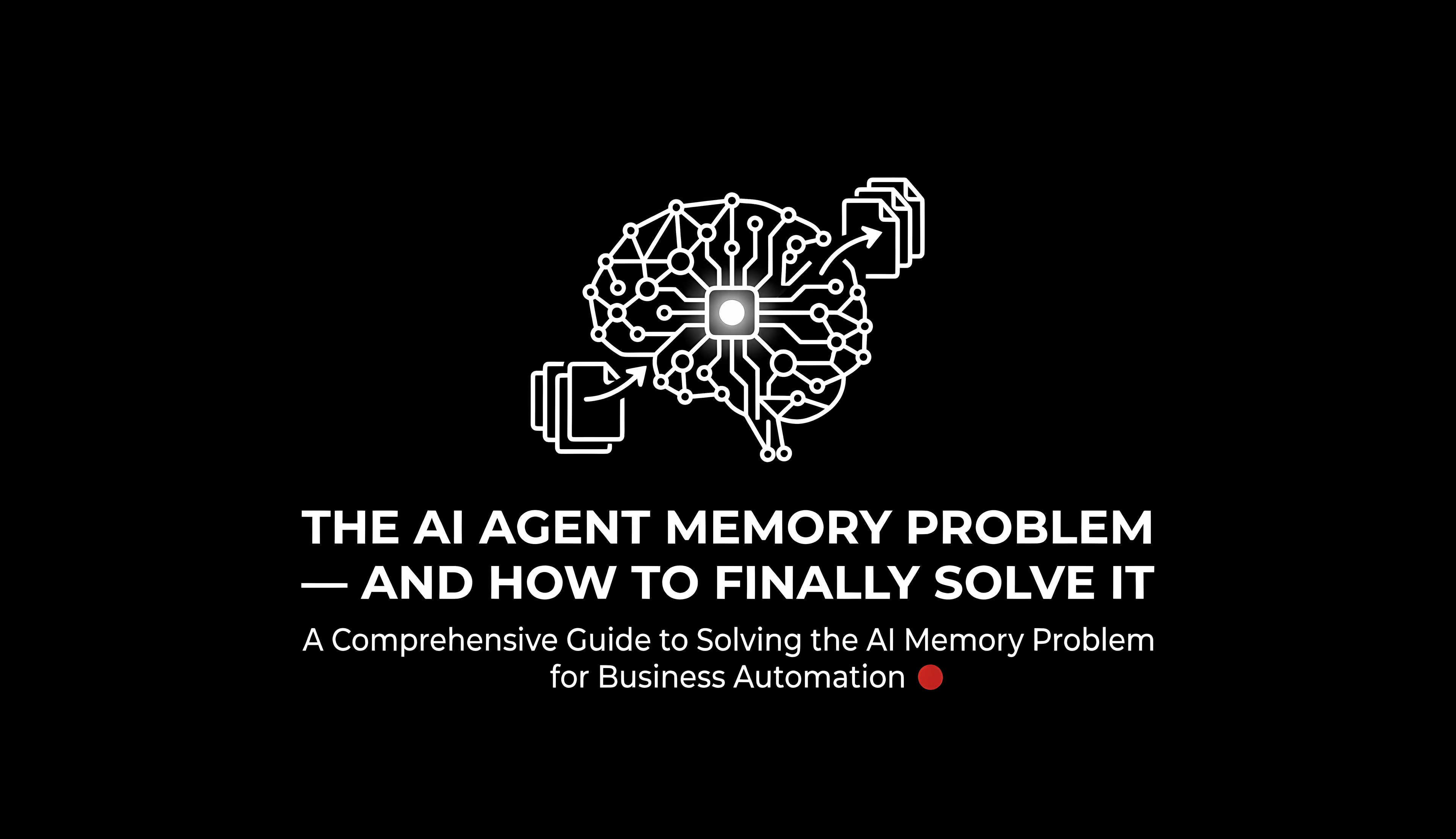
Ask any developer who has built a production AI agent about their biggest challenge and the answer is almost always the same: memory. Not storage capacity, not compute cost — the fundamental inability of AI agents to remember what they did yesterday, or even ten minutes ago once a session ends.
To understand why this happens, it helps to think about how a large language model (LLM) actually works. An LLM is a function: it takes text as input and produces text as output. The "input" is the context window — a fixed-size buffer of tokens (roughly, word-pieces) that the model can "see" at any moment. Once a conversation ends and the context window is cleared, the model has absolutely no recollection that the conversation ever happened. It's not that the memory fades like human forgetting — it's that there is no mechanism for persistence whatsoever. Each new session starts from zero.
This architectural fact has enormous practical consequences. An AI agent helping you refactor a codebase cannot remember the decisions made in last week's session. A customer-support agent cannot remember that a customer already explained their problem three times. A research assistant cannot build on its findings from previous runs. Every agent starts life as an amnesiac, and without external tooling, it stays that way.
The memory problem is not a bug — it's a fundamental design trade-off. Statelessness makes LLMs scalable, parallelizable, and reproducible. But for agents that need to act over time, statelessness becomes the primary bottleneck to real-world usefulness.
Three Failure Modes: Amnesia, Context Rot, and Knowledge Isolation
Once you start building real agents, the memory problem reveals itself in three distinct and increasingly frustrating failure modes.
Failure Mode 1: Cross-Session Amnesia
This is the most obvious failure. A conversation ends, the context window is cleared, and the agent has no memory of what transpired. For simple chatbots this is acceptable. For autonomous agents that are supposed to complete multi-day projects, it is a showstopper. The agent cannot accumulate experience, cannot remember decisions it has made, and cannot build on previous work. Every session is day one.
Failure Mode 2: Context Rot (Within-Session Degradation)
Even within a single long session, memory degrades in a different but equally damaging way. As the agent fills its context window with task outputs, tool results, and intermediate reasoning, the window fills up. Older instructions and earlier decisions get pushed further back in the context and eventually fall off the edge entirely. The agent begins to contradict itself, forget constraints it was given early in the session, or simply reduce its output quality as it struggles to synthesize a bloated, inconsistent context. This phenomenon is called context rot — the gradual degradation of reasoning quality as the context window becomes polluted with stale and irrelevant information.
Failure Mode 3: Knowledge Isolation
The third failure is perhaps the most subtle. Even if you solve cross-session amnesia with some form of storage, most solutions treat knowledge as isolated chunks retrieved by vector similarity. An agent might retrieve the fact "user prefers dark mode" and separately retrieve "user is building a React app," but it has no way of knowing that these two facts are connected — that they imply specific implementation choices for this particular user's specific project. Knowledge without relationships is just a pile of facts. What agents need is not just storage but structured knowledge — a representation of how facts connect to each other.
The important insight is that these three failures need different solutions. Cross-session amnesia needs persistent external storage. Context rot needs disciplined context management. Knowledge isolation needs a relational or graph-based knowledge representation. No single tool solves all three in every situation — which is why the field has converged on a multi-layer memory architecture.
Tool 1: Cognee — Knowledge-Graph Memory in 6 Lines of Code
Accurate and persistent AI memory using ECL pipelines. Replaces traditional RAG with a unified vector + graph memory layer. GitHub
What Problem Does Cognee Solve?
Cognee addresses all three failure modes, but it attacks knowledge isolation most directly. Its core insight is that traditional Retrieval-Augmented Generation (RAG) — the dominant paradigm for giving LLMs access to external data — has a critical architectural limitation. RAG chunks your documents into fragments and stores them in a vector database indexed by semantic embedding. When the agent needs information, it retrieves the most similar chunks. This works well for simple question-answering, but it completely loses the relationships between pieces of information.
Cognee replaces this with an ECL pipeline: Extract, Cognify, Load. The "Cognify" step is what makes it special. Instead of simply chunking and embedding, Cognee builds a knowledge graph — a network of entities and their typed relationships — from your data. This graph is backed by both a vector store (for semantic search) and a graph database (for relationship traversal). The result is that your agent can ask not just "what chunks are similar to my query?" but also "what concepts are related to this entity, and how?"
How Cognee Works in Practice
The API is deliberately minimal. The four core operations map directly onto the four stages of building and using a memory system:
import cognee
import asyncio

async def main():
    # Stage 1: Add raw data to Cognee (text, files, URLs, etc.)
    await cognee.add("Cognee transforms raw data into structured AI memory.")

    # Stage 2: Build the knowledge graph from the added data
    await cognee.cognify()

    # Stage 3: (Optional) Apply memory algorithms like spaced repetition
    await cognee.memify()

    # Stage 4: Query the graph using natural language
    results = await cognee.search("What does Cognee do?")
    for result in results:
        print(result)

asyncio.run(main())
Under the hood, cognify() is doing sophisticated work: it extracts named entities from your text, identifies relationships between them, scores those relationships by strength and relevance, and stores the result as a traversable graph. When you call search(), Cognee doesn't just return the most similar text chunks — it traverses the graph to find connected knowledge, giving your agent access to information that is structurally related to the query, not just superficially similar.
Why Cognee Matters for the Memory Problem
Cognee solves cross-session amnesia by persisting the knowledge graph to a database. It solves knowledge isolation by building an explicit relational structure. And it reduces context rot by enabling precise, targeted retrieval — instead of flooding the context window with barely-relevant chunks, an agent using Cognee retrieves exactly the connected knowledge it needs, keeping the context clean and focused.
Cognee also supports 30+ data sources (documents, conversations, images, audio transcriptions) and integrates with LangGraph and other agent frameworks, making it a practical production tool rather than a research prototype. Its 11,000+ GitHub stars suggest the community has found it genuinely useful.
Tool 2: Get-Shit-Done (GSD) — Context Engineering for Agentic Coding
Meta-prompting, context engineering, and spec-driven development system for Claude Code. Explicitly designed to solve context rot. GitHub
What Problem Does GSD Solve?
GSD takes a fundamentally different angle on the memory problem. Rather than solving memory at the model or database level, it solves it at the process level. Its core premise is that context rot is not just a technical problem — it's also a workflow problem. When developers use Claude Code (or any agentic AI coding assistant) naively, they pile task after task into a single growing context window, the context fills with garbage, and the quality of the agent's output steadily deteriorates.
GSD's solution is to treat the agent's context window as a precious, limited resource that must be actively managed. It does this by maintaining a set of structured state files that serve as the agent's external long-term memory:
File | What It Contains | Memory Role |
|---|---|---|
| Vision, goals, tech stack | Permanent project identity |
| Decisions, blockers, current position | Cross-session working memory |
| Scoped v1/v2 requirements with traceability | Constraint memory |
| Phases and completion status | Long-term plan memory |
| Atomic XML-structured task plans | Short-term execution memory |
| What changed, what was committed | Episodic memory log |
The Context Engineering Insight
GSD's deeper insight is that the right unit of work for an agent with a finite context window is not a "project" — it's a plan. Each plan is small enough to fit comfortably in a fresh context window with 200,000 tokens purely dedicated to implementation. The agent executes one plan, commits the result, and a fresh subagent starts the next plan with a clean context and access to the full state files.
This is not just a workaround — it's a principled architecture. By separating long-lived state (the files) from short-lived execution context (each plan's window), GSD achieves something that looks a lot like human working memory: a large, persistent external memory store combined with a focused, high-quality short-term processor.
# Install GSD for Claude Code
npx get-shit-done-cc@latest

# Start a new project — GSD interviews you and builds the state files
/gsd:new-project

# Before planning each phase, lock down your implementation decisions
/gsd:discuss-phase 1

# GSD researches the domain and creates atomic XML task plans
/gsd:plan-phase 1

# Execute in parallel waves, each plan in a fresh 200k context window
/gsd:execute-phase 1

# Verify the work actually matches your expectations
/gsd:verify-work 1
Multi-Agent Orchestration as Memory Architecture
GSD uses multi-agent orchestration specifically as a memory management strategy. The orchestrator agent maintains minimal state (the current workflow position), while specialized subagent instances execute individual plans in fresh context windows. Each subagent receives exactly the state it needs — no more — injected from the persistent files. This means context stays below 40% even while building production software across dozens of tasks.
The result is reliable, high-quality code output that doesn't degrade over a long session — something that's genuinely difficult to achieve with a naive "just keep chatting" approach. The 12,800+ GitHub stars, with users from Amazon, Google, Shopify, and Webflow reporting success, suggest this approach addresses a real and widely-felt pain.
Tool 3: mcp-obsidian — Your Personal Knowledge Base as AI Memory
A lightweight Model Context Protocol server for safe, universal AI access to Obsidian vaults. Works with Claude, ChatGPT, Cursor, and any MCP-compatible client. GitHub
What Problem Does mcp-obsidian Solve?
Where Cognee solves the structural memory problem and GSD solves the process memory problem, mcp-obsidian solves the personal knowledge memory problem. Many knowledge workers already maintain rich, interconnected knowledge bases in tools like Obsidian — thousands of notes, research findings, meeting records, project logs, and personal references. The problem is that AI assistants have no access to this accumulated knowledge. Each conversation starts without awareness of everything you've ever written down.
mcp-obsidian bridges this gap using the Model Context Protocol (MCP) — an open standard that allows AI assistants to call external tools and data sources in a standardized way. By running an mcp-obsidian server pointed at your Obsidian vault, any MCP-compatible AI assistant gains the ability to read, write, search, and manage your notes as if they were part of its own memory.
What mcp-obsidian Provides
The server exposes 11 methods covering the complete lifecycle of note management. It handles reading and writing notes, listing directories, batch-reading multiple notes simultaneously, full-text search with frontmatter support, metadata extraction, tag management (adding, removing, listing inline and frontmatter tags), moving and renaming notes, and safe deletion with a confirmation requirement to prevent accidents. The server also carefully preserves YAML frontmatter — a common source of data corruption when AI tools write directly to Obsidian files — using the gray-matter library for safe parsing and validation.
Getting Started in Under 5 Minutes
# No installation needed — run directly with npx
# Add this to your Claude Desktop config file:

{
  "mcpServers": {
    "obsidian": {
      "command": "npx",
      "args": [
        "@mauricio.wolff/mcp-obsidian@latest",
        "/path/to/your/obsidian/vault"
      ]
    }
  }
}
Once configured, your AI assistant can respond to prompts like "summarize all my research notes tagged machine-learning from last month," "create a new note with today's meeting agenda," or "find all notes that mention the project deadline and update their status." Your Obsidian vault becomes a living external memory that the agent can read from and write to, making every interaction richer with accumulated personal context.
Why the MCP Standard Matters for Memory
The fact that mcp-obsidian is built on the open MCP standard is architecturally significant. It means that as more AI clients adopt MCP (Claude Desktop, Claude Code, ChatGPT Enterprise, Cursor IDE, Windsurf, IntelliJ IDEA 2025.1+, and many more), your investment in organizing and maintaining an Obsidian vault compounds — every new AI tool you adopt automatically inherits access to your knowledge base without any additional integration work. It's a memory layer that transcends any particular AI model or vendor.
mcp-obsidian includes path traversal protection, path filtering to exclude
.obsidiansystem files, YAML content validation, and safe deletion with path confirmation. Your vault is accessible to the AI, but it's not unguarded — the server operates strictly within the boundaries you define.
Comparing the Three Approaches
Each tool solves a different slice of the AI memory problem, and choosing between them (or combining them) depends on your use case. The table below maps each tool to the failure mode it best addresses, the memory paradigm it uses, and the kind of user it's designed for.
Dimension | Cognee | GSD | mcp-obsidian |
|---|---|---|---|
Primary failure addressed | Knowledge isolation | Context rot | Cross-session amnesia |
Memory paradigm | Knowledge graph + vector store | Structured state files | Personal knowledge base via MCP |
Persistence mechanism | Graph database + vector DB | Markdown files in git | Obsidian vault (local files) |
Primary language | Python | JavaScript (Claude Code) | TypeScript (MCP) |
Best for | Production AI agents needing structured knowledge retrieval | Agentic coding workflows with Claude Code | Personal AI assistants with Obsidian users |
Combines well with | LangGraph, custom agents, RAG pipelines | Claude Code, OpenCode, Gemini CLI | Claude Desktop, Cursor, any MCP client |
Relational reasoning | Yes (knowledge graph traversal) | Partial (cross-references in state files) | Partial (Obsidian links and tags) |
Learning curve | Medium (pipeline concepts) | Low (slash commands) | Very low (5 min setup) |
Why do AI agents forget between sessions?
AI agents powered by large language models are stateless by design. Each conversation processes text within a fixed context window, and once that window is cleared at session end, no information is retained. Without an external memory layer such as a database, knowledge graph, or structured state files, every session begins with a completely blank slate. This is an architectural choice — statelessness makes LLMs scalable and reproducible — but it requires deliberate tooling to overcome for agents that need to act over extended time periods.
What is context rot in AI agents?
Context rot is the quality degradation that occurs as an AI agent fills its context window during a long session. As the agent processes more tasks and receives more outputs, the context window fills with accumulated information. Older instructions, constraints, and decisions get pushed to the back of the context and eventually fall off the edge entirely. The agent begins to contradict earlier decisions, forget initial constraints, and produce inconsistent, lower-quality outputs. GSD (Get-Shit-Done) specifically addresses context rot by maintaining external state files and spawning fresh-context subagents for each task.
What is the difference between RAG and a knowledge graph for AI memory?
RAG (Retrieval-Augmented Generation) uses vector similarity search to retrieve document chunks that are semantically similar to a query. It treats each chunk as an isolated unit. A knowledge graph additionally captures explicit, typed relationships between entities — "Person A works at Company B," "Concept X is a type of Concept Y." This relational structure allows an AI agent to reason about how ideas are connected, not just which text fragments are similar. Cognee combines both approaches: vector search for semantic similarity and a graph database for relationship traversal, giving agents richer and more accurate retrieval.
What is the Model Context Protocol (MCP) and why does it matter for AI memory?
MCP (Model Context Protocol) is an open standard that defines how AI assistants communicate with external tools and data sources. Instead of each AI company building proprietary integrations with every possible data source, MCP creates a universal adapter layer. An MCP server like mcp-obsidian exposes a data source (an Obsidian vault) in a standardized way, and any MCP-compatible AI client can connect to it automatically. This matters for AI memory because it means you can build a rich personal knowledge base once and have it available to any AI assistant you use — across Claude, ChatGPT, Cursor, and future tools — without rebuilding integrations.
How do you give Claude persistent memory?
You can give Claude persistent memory using several approaches depending on your use case. For personal knowledge management, mcp-obsidian connects Claude Desktop or Claude Code to your Obsidian vault via MCP, making your notes queryable and writable across all sessions. For agentic coding workflows, GSD maintains structured state files (PROJECT.md, STATE.md, REQUIREMENTS.md) that Claude Code reads at the start of each fresh context window, effectively providing cross-session continuity. For applications that need relational memory, Cognee builds a knowledge graph from your data that Claude (or any LLM) can query for structured, persistent retrieval. The most powerful setups combine all three.
Is AI agent memory a solved problem?
No, AI agent memory is not yet a fully solved problem, but significant progress has been made. Tools like Cognee (knowledge graphs), GSD (context engineering), and mcp-obsidian (personal knowledge bases via MCP) solve specific, important parts of the problem. The remaining challenges include memory consolidation (deciding what to remember and what to forget), temporal reasoning (understanding the recency and relevance of memories), and memory consistency (ensuring that newly acquired information doesn't contradict previously stored facts). Ongoing research in areas like retrieval-augmented generation, episodic memory architectures, and cognitive-inspired agent designs continues to push the state of the art forward.
What is the best open-source tool for AI agent memory?
The "best" tool depends on your specific use case. Cognee (11k GitHub stars) is the best choice for production agents that need persistent, relational memory built from unstructured data — it builds knowledge graphs that support both semantic search and graph traversal. GSD (12.8k GitHub stars) is the best choice for agentic coding workflows with Claude Code — it solves context rot through disciplined context engineering and structured state management. mcp-obsidian is the best choice for personal AI assistants used by Obsidian users — it provides zero-config vault access to any MCP-compatible AI client. For a comprehensive memory architecture, combining all three is recommended.
Conclusion
The memory problem is the defining challenge of the current generation of AI agents. It's what separates a genuinely useful AI system — one that accumulates context, builds on past work, and maintains coherent state over time — from a conversational toy that forgets everything you told it the moment the session ends. Solving it requires thinking carefully about what kind of memory you need, at what timescale, and with what degree of relational richness.
The three tools examined in this article each embody a different but complementary insight. Cognee teaches us that memory needs structure — not just storage, but a knowledge graph that captures relationships and enables reasoning, not just retrieval. GSD teaches us that memory management is also a workflow discipline — that context must be actively curated, that fresh subagents with clean contexts consistently outperform a single bloated session, and that structured state files can give an agent powerful cross-session continuity without touching the model itself. mcp-obsidian teaches us that memory should be personal — that years of accumulated notes and knowledge don't have to remain locked away from your AI tools, and that an open protocol standard can make your entire knowledge base available to every AI assistant you use, now and in the future.
As AI agents become more capable and take on longer-horizon tasks, the ability to maintain coherent, growing, structured memory will move from a nice-to-have to a prerequisite. The good news is that the open-source ecosystem is converging quickly on patterns that work. The tools are here. The architectures are emerging. The amnesia is optional.
Getting started: if you're new to AI agent memory, the fastest path to a meaningful improvement is to install mcp-obsidian and connect your existing Obsidian vault to Claude Desktop. From there, explore Cognee if you need production-grade relational memory, and GSD if you're building with Claude Code and want your agentic coding workflow to be dramatically more reliable.